The Problem
Virtual reality has genuine potential as a classroom tool. Immersive experiences can bring abstract concepts to life in ways that textbooks and videos can’t. But integrating VR into K-12 education creates real challenges for teachers. They can’t see what students are seeing. They can’t easily pause or adjust the experience. They have no way to gauge whether a student is engaged, overwhelmed, or checked out. And for students with sensory sensitivities or anxiety, an intense VR experience without an attentive teacher at the controls can go from educational to distressing quickly.
Existing VR classroom solutions focus on content delivery but give educators little real-time control over the experience itself.
The System
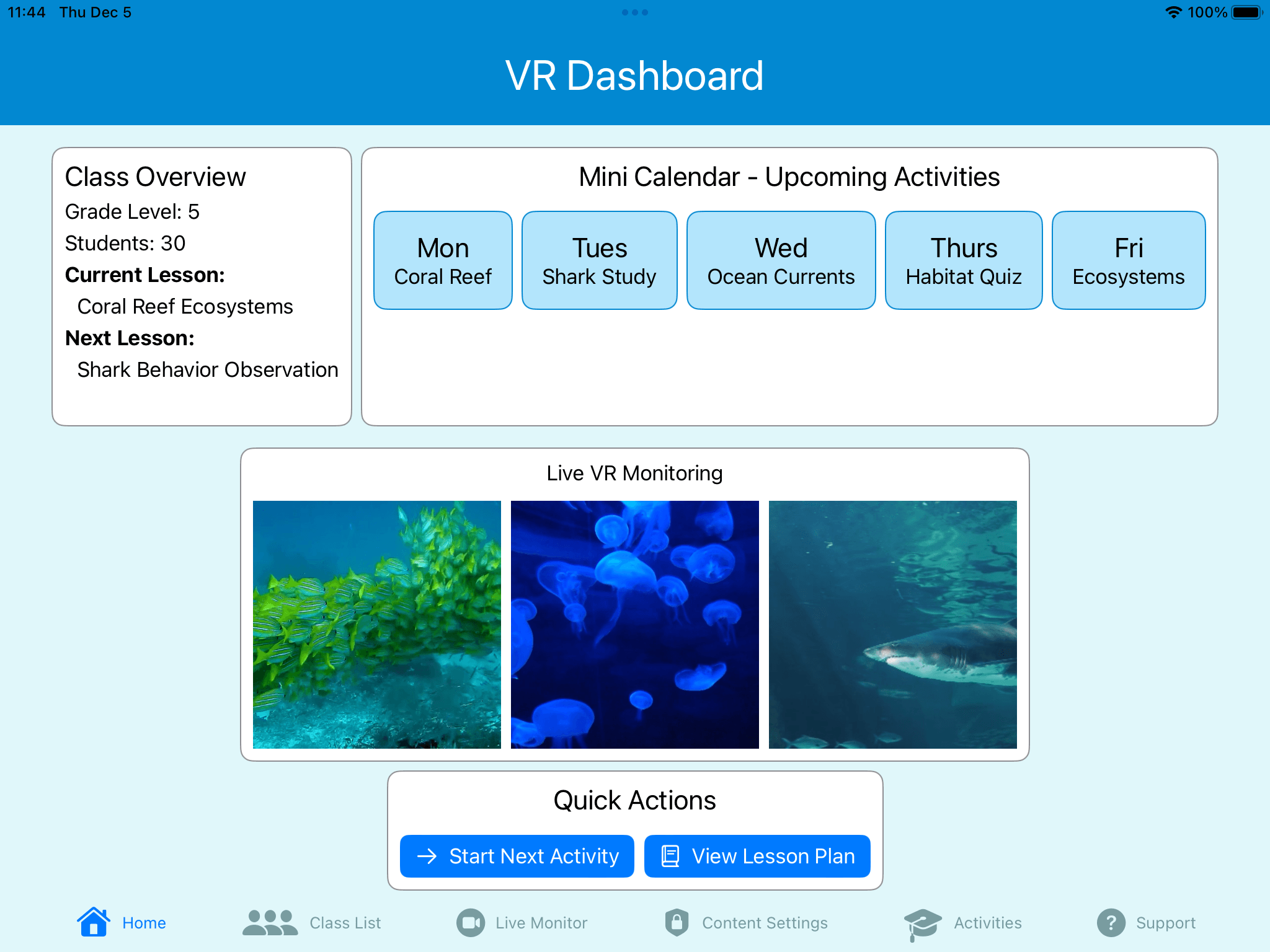
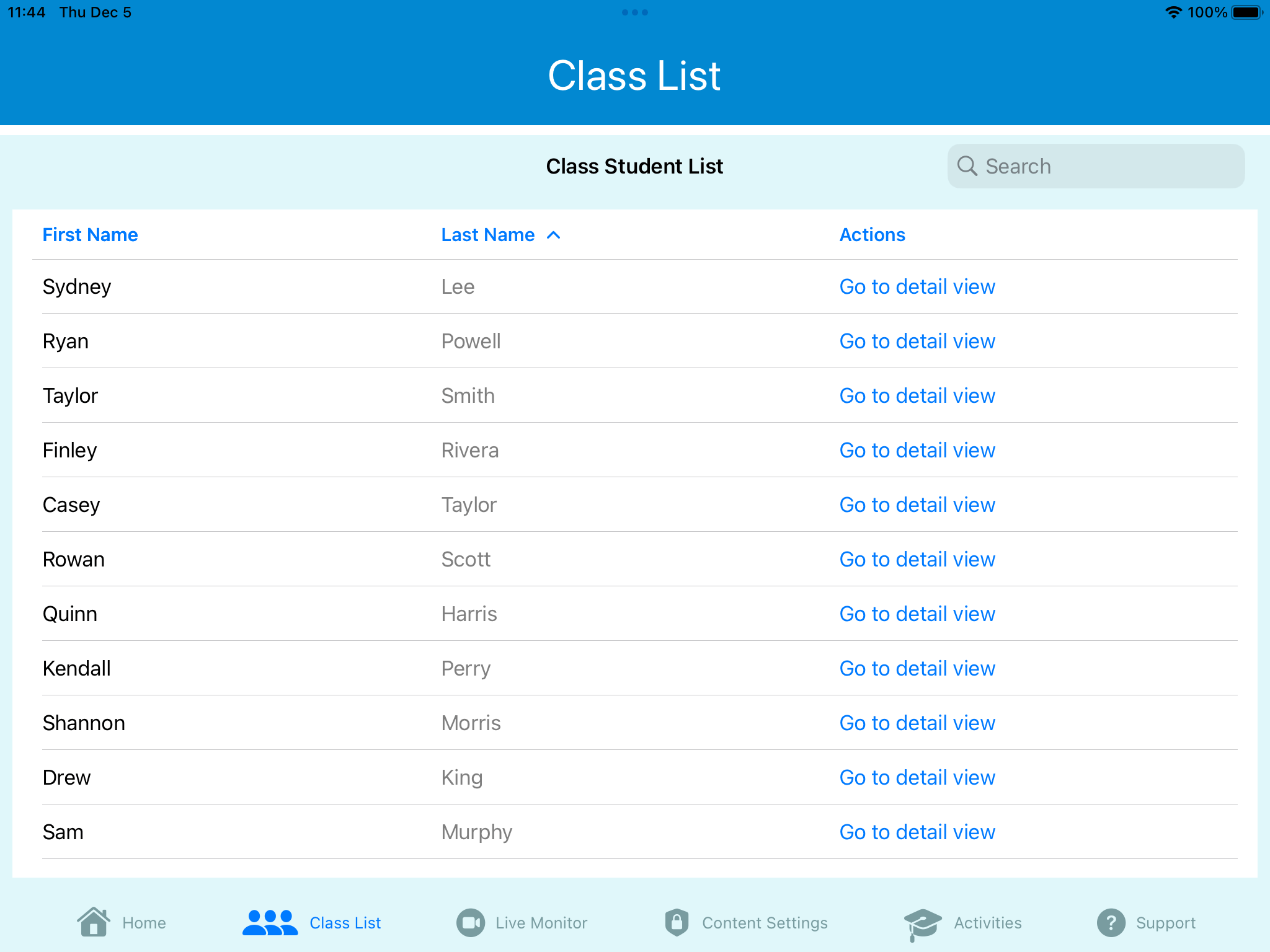
TeachTab 360 is a native iPad application that serves as a teacher’s command center for VR classroom sessions. The dashboard provides a class overview: current lesson, upcoming activities, and live VR monitoring showing thumbnail feeds of what students are seeing in their headsets.
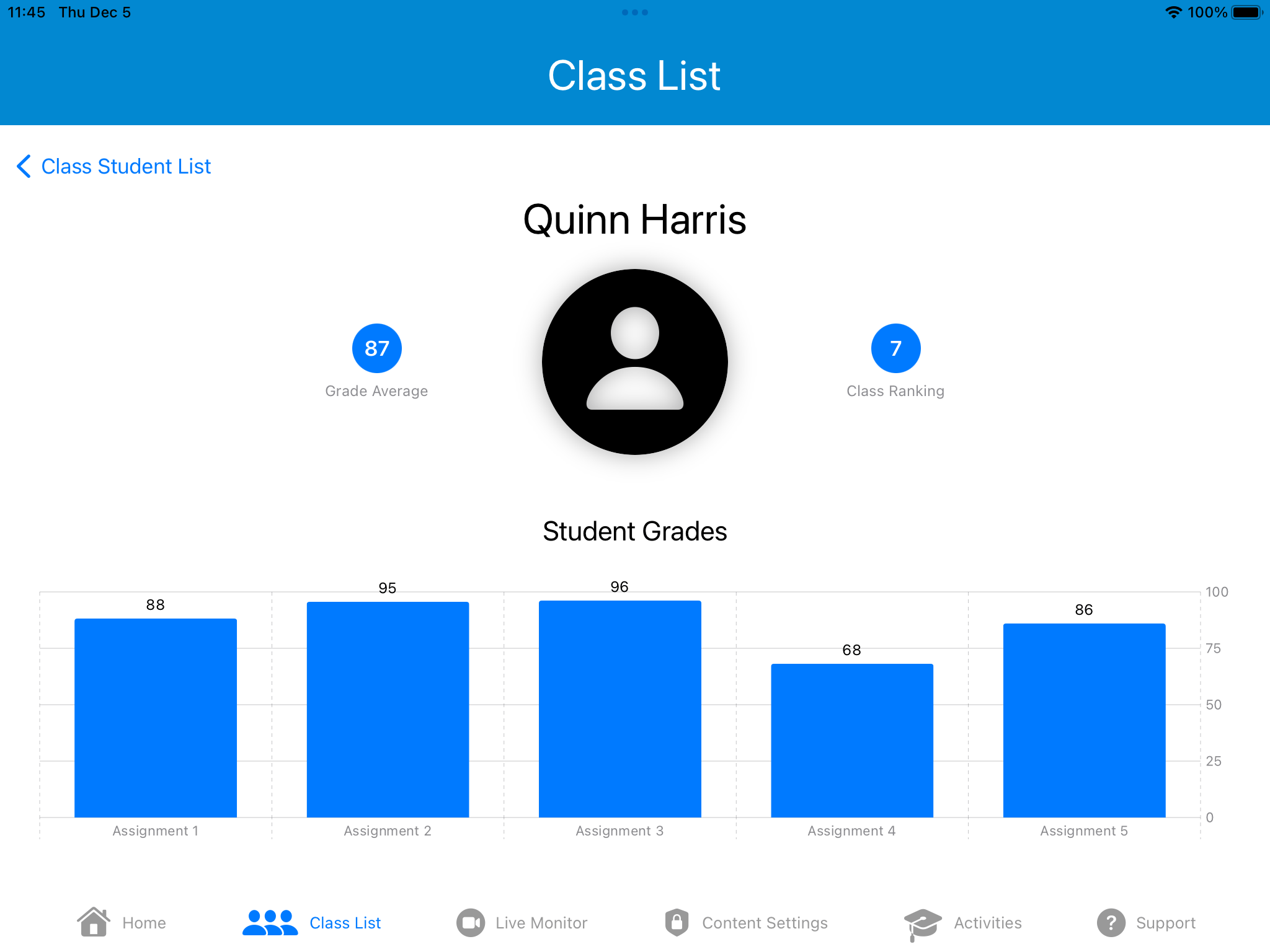
Teachers can customize content intensity based on student age and sensitivity levels, pause or lock visuals across all headsets to maintain classroom focus, and track real-time engagement metrics for individual students. The system integrates accessibility features for diverse learning needs, giving educators granular control without requiring deep technical expertise.
The Design Process
The project followed a user-centered design process grounded in understanding educators’ actual needs. We conducted semi-structured interviews with teachers to map their pain points around VR adoption: limited training, fear of losing classroom control, and concerns about student safety during immersive experiences.
These findings shaped the information architecture: the app prioritizes monitoring and quick intervention over complex configuration. The most common actions (pausing the experience, checking on a student, adjusting intensity) are accessible within one or two taps from any screen.
Wireframes and prototypes were developed iteratively in Figma before implementation in SwiftUI, with design decisions validated against the interview findings at each stage.
My Role
As lead developer on a team of four, I was responsible for the SwiftUI implementation of the iPad application, translating the team’s Figma designs into a functional native app. I also contributed to the interaction design, particularly around the real-time monitoring interface and the content intensity controls, areas where the technical constraints of the platform directly shaped what was possible in the design.
Graduate coursework, Foundations of Human-Computer Interaction, RIT · Fall 2024