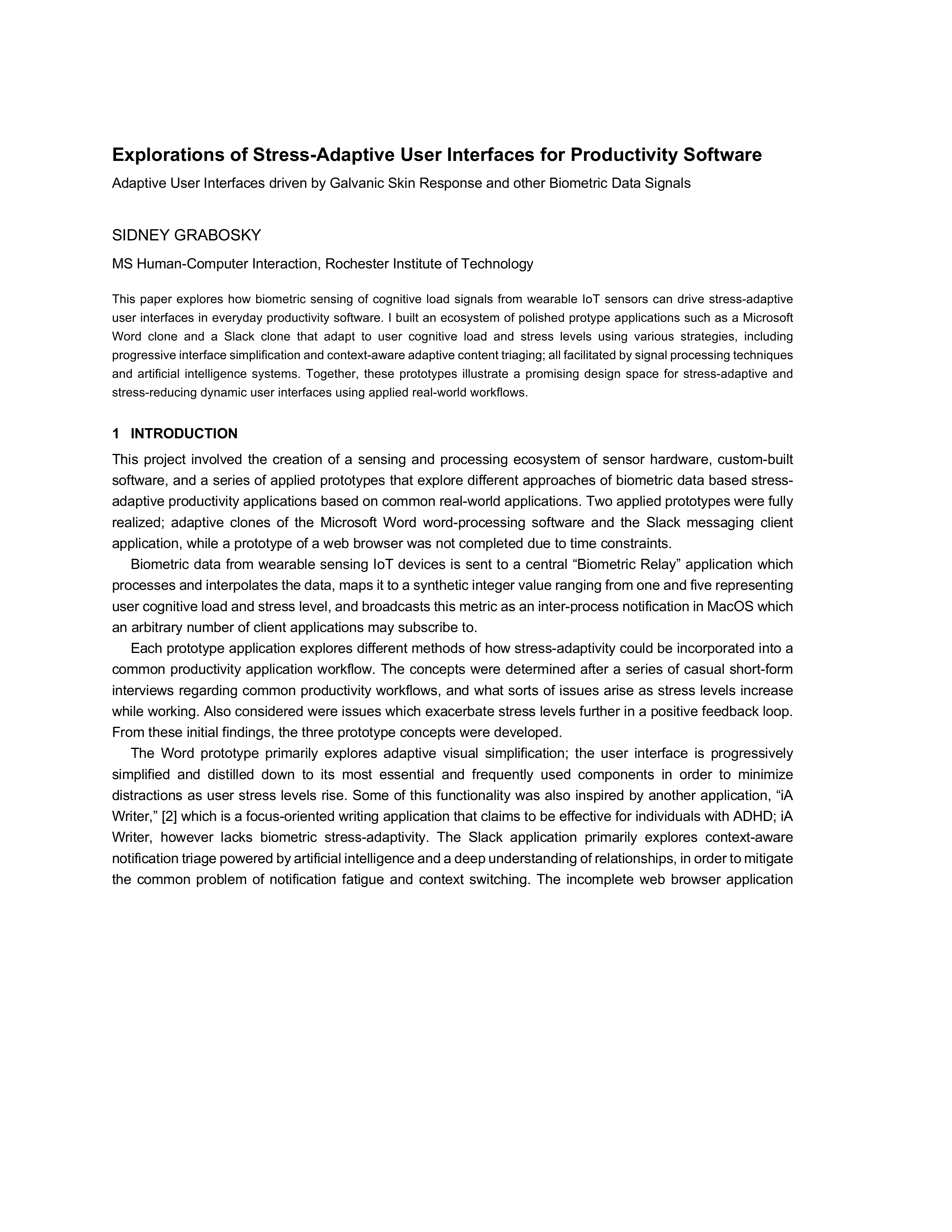
The Idea
What if the software you use every day could sense when you’re stressed and quietly adapt to help? Not by asking you to toggle a focus mode, but by reading your body’s signals and responding on its own, simplifying what you see, filtering what interrupts you, and letting you concentrate on what matters.
This project explores that idea through a full ecosystem of biometric sensors, a central signal processing hub, and a set of adaptive productivity application prototypes that respond in real time to user cognitive load and stress levels.
The Ecosystem
The system spans seven applications across three Apple platforms (macOS, iOS, and watchOS) plus Arduino hardware for galvanic skin response sensing.
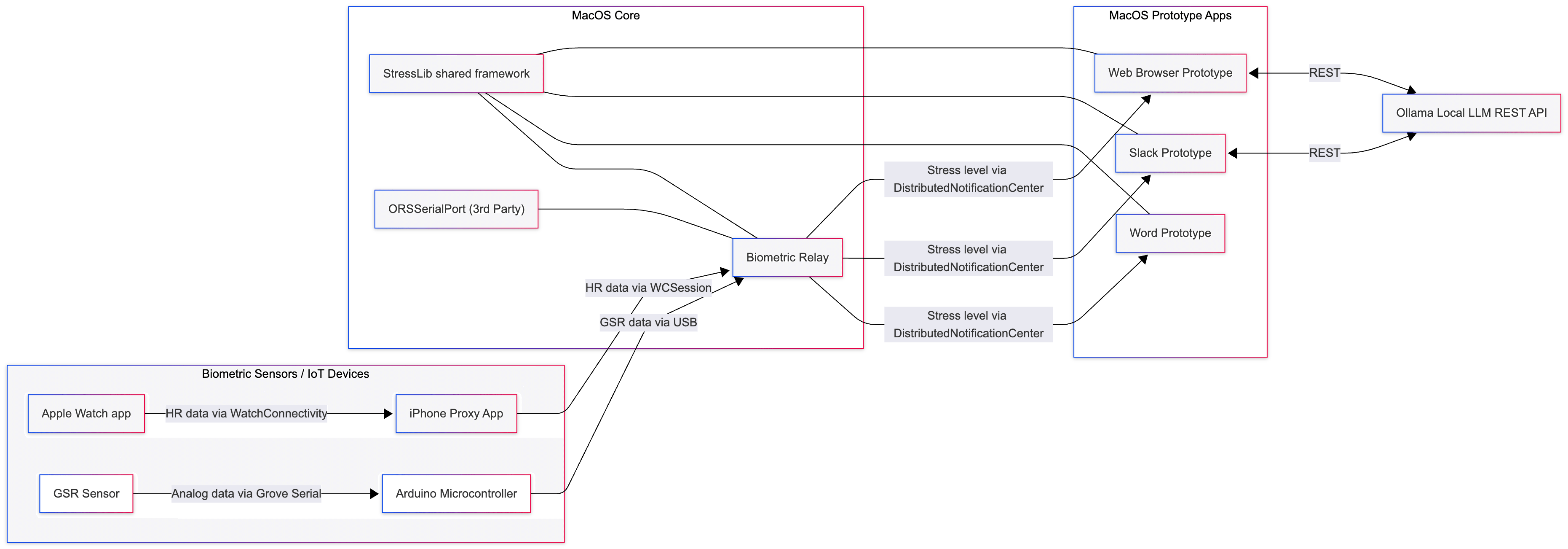
Biometric sensing. Two physiological signals are captured. An Apple Watch measures heart rate, relaying data wirelessly through an iPhone proxy app (necessary due to platform sandbox restrictions) to the Mac over Wi-Fi. A galvanic skin response sensor connected to an Arduino Uno communicates with the Mac over USB serial.
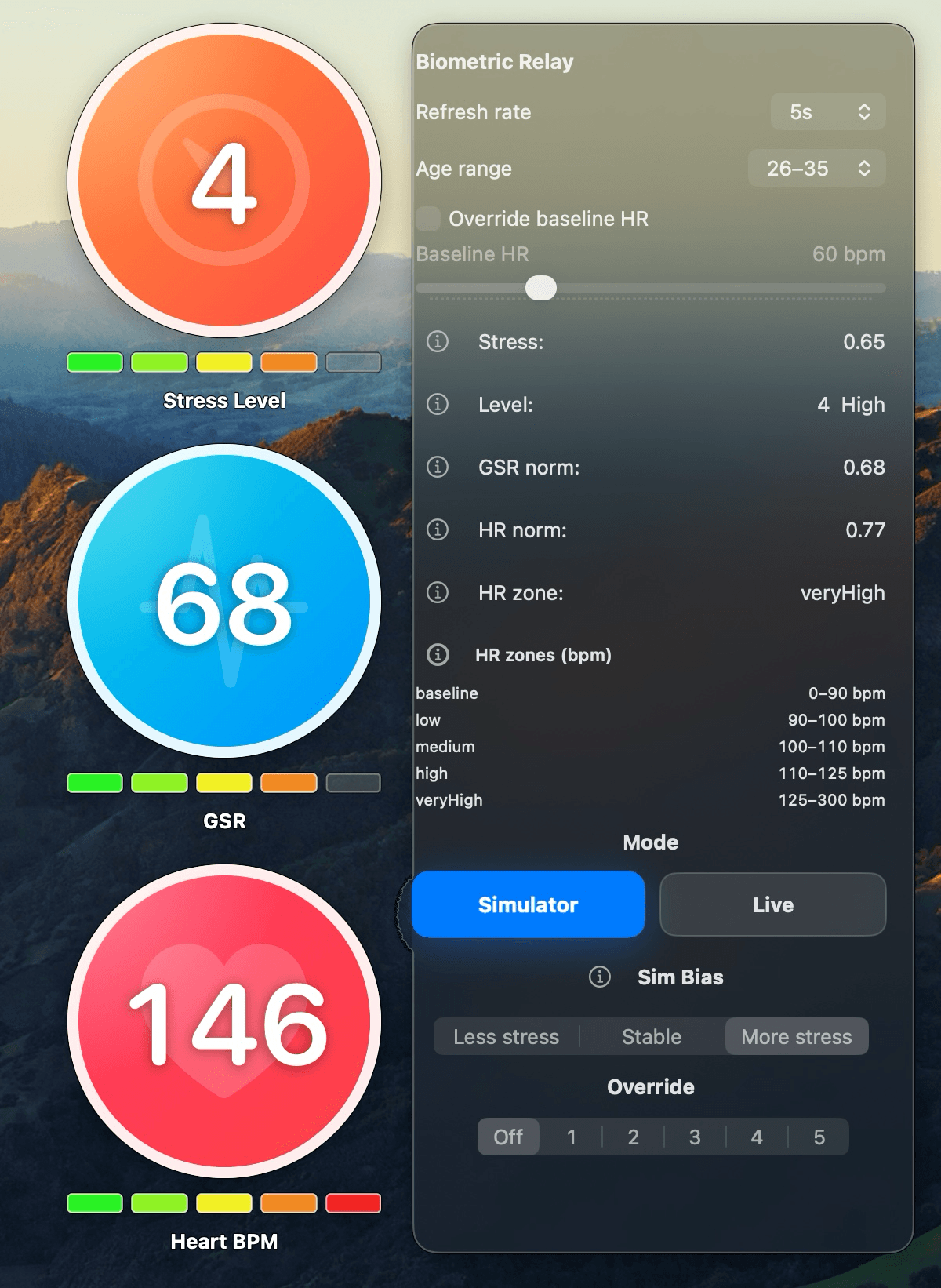
The Biometric Relay. A macOS menu bar application that serves as the central processing hub. It receives both biometric signals, normalizes them to a common 0–1 scale, applies exponential moving average smoothing to suppress jitter (especially from the noisy analog GSR signal), and blends them dynamically, weighted 60/40 GSR to heart rate by default but rebalanced when either signal spikes dramatically. The blended value maps to a 1–5 stress level classification. A hysteresis guard prevents rapid oscillation near level boundaries, avoiding the deeply unpleasant experience of a UI morphing back and forth every few seconds.
The relay accounts for human variability: users configure their age range, and the system applies appropriate heart rate zones. An optional baseline override lets users with atypical resting heart rates get more accurate classification via a Karvonen formula adjustment that rescales all zone boundaries proportionally.
StressLib. A shared Swift framework published via Swift Package Manager, providing common functionality across all macOS apps: stress level definitions, IPC subscription handling via DistributedNotificationCenter, and HTTP/REST utilities for communicating with a local Ollama LLM.
The Word Prototype: Progressive Simplification
The Word clone is a functioning rich-text word processor built using SwiftUI’s DocumentGroup architecture, NSTextView, and NSAttributedString, supporting open, save, rich text formatting, multiple heading styles, lists, and more.
Its adaptivity strategy is progressive interface simplification. As stress rises, the application progressively hides UI elements, starting with the most visually distracting and least-used features. At moderate stress, the ribbon toolbar and status bar simplify. At high stress, all interface chrome disappears, leaving only text. At the highest level, even text content fades as it gets more distant from the cursor, a radical focus mode that narrows attention to the immediate writing context.
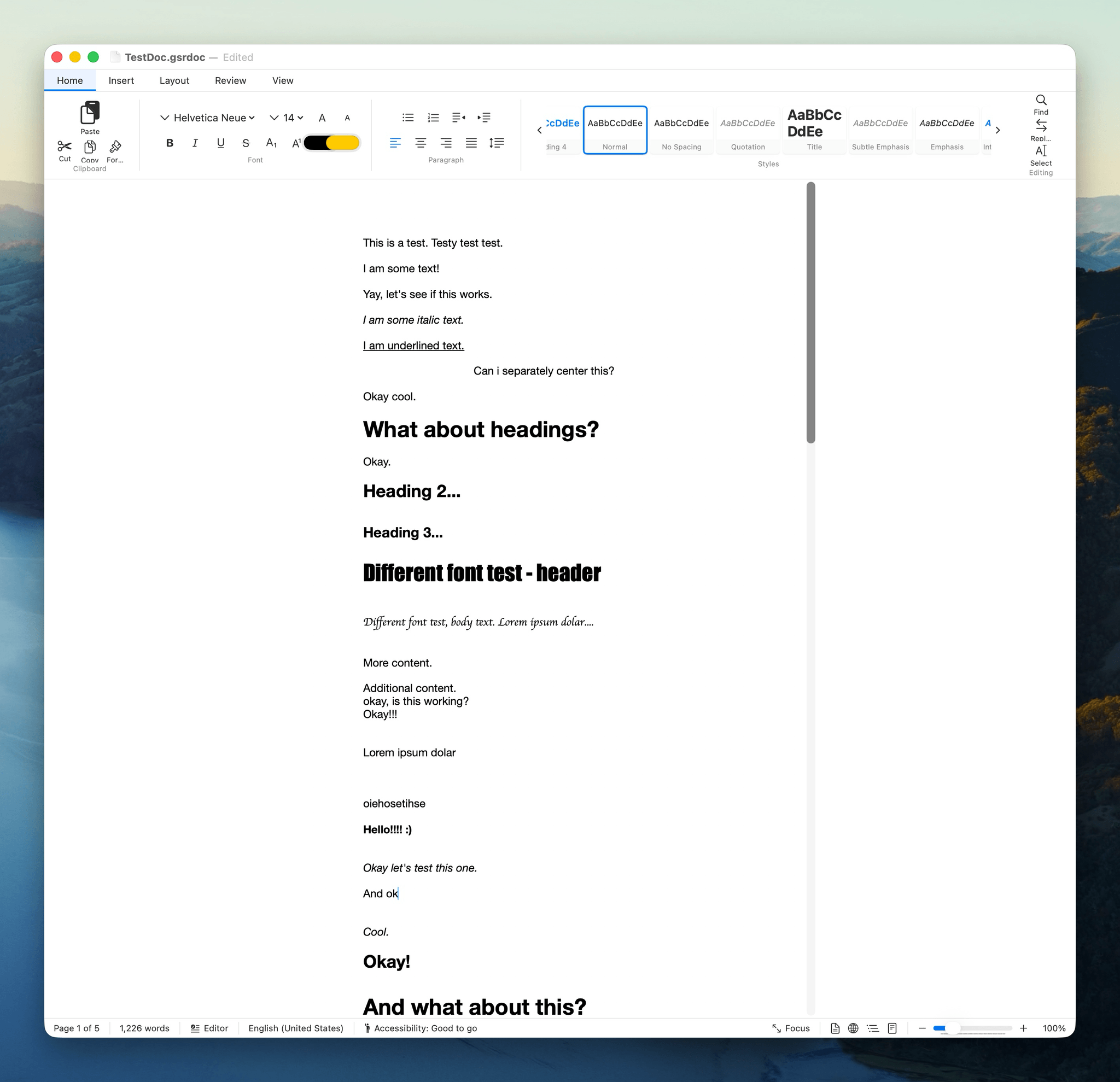
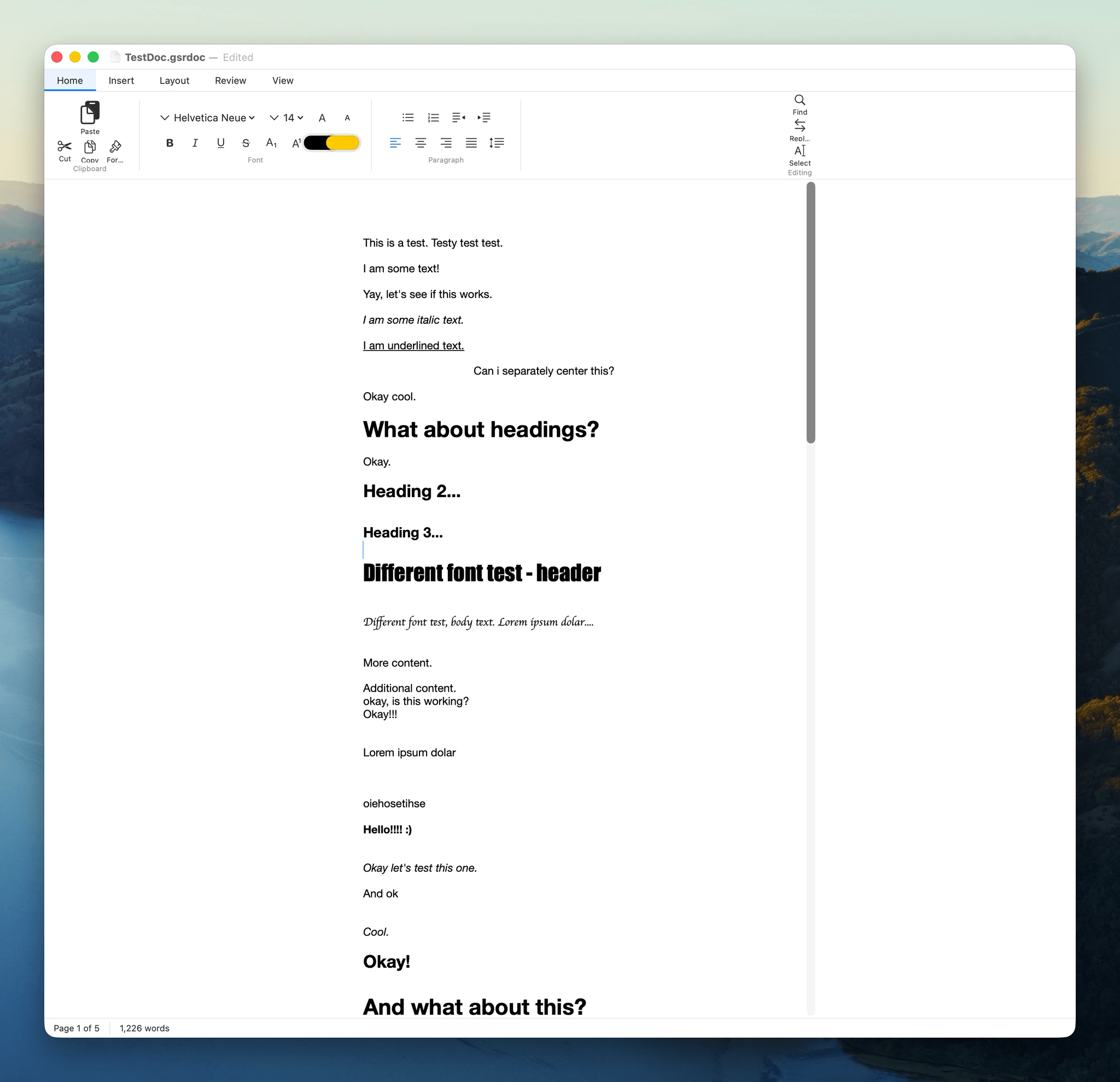
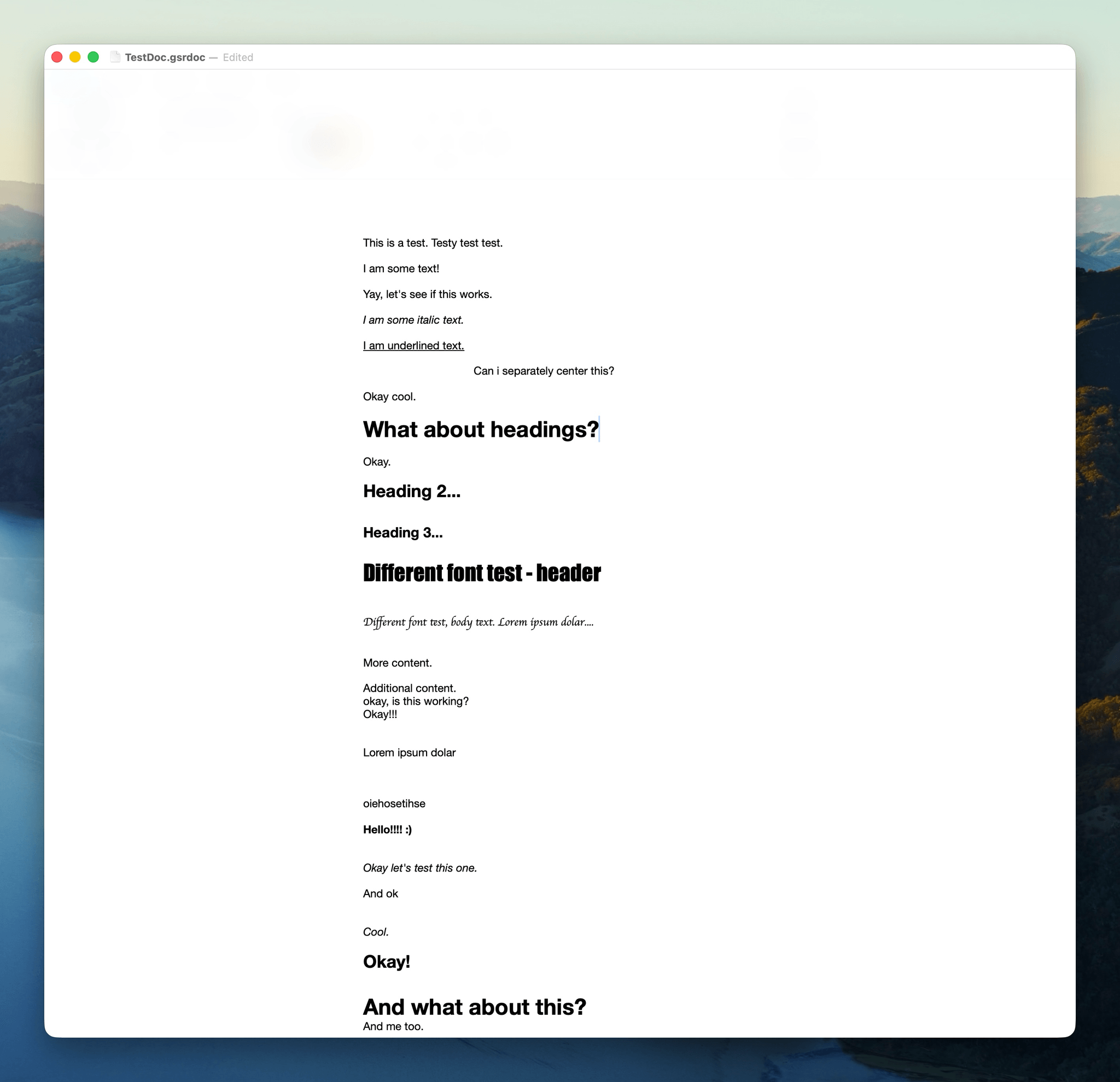
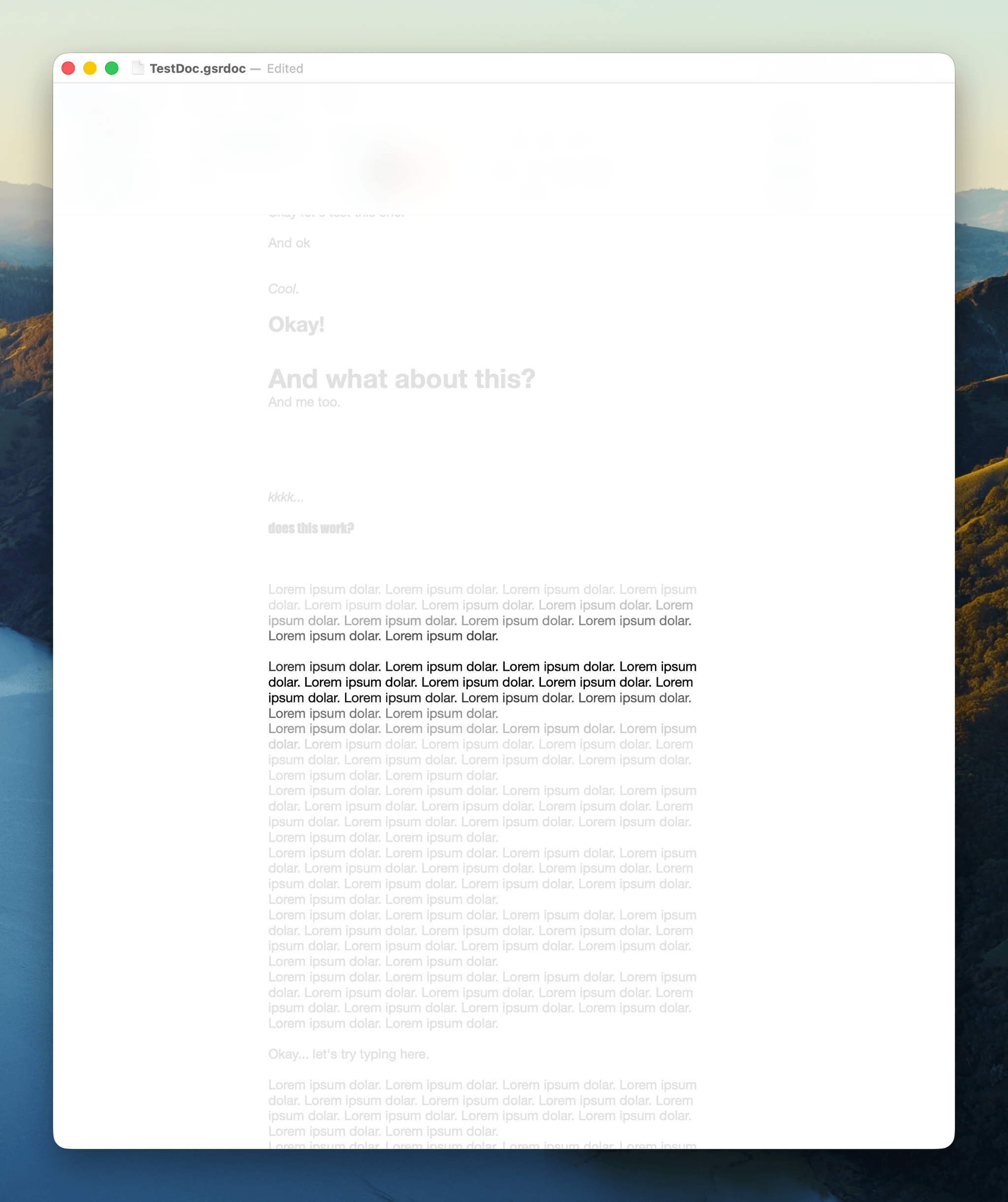
The animations are handled through SwiftUI’s animation system, custom AnimatableBlurModifier view modifiers, and manual animation loops with eased interpolation for the text-fading behavior. The entire system responds gracefully to stress level changes, with no jarring transitions, just gradual shifts in the visual environment.
The Slack Prototype: Context-Aware Triage
The Slack clone tackles a different problem: notification fatigue. In casual interviews while developing the concept, communication notifications were the most frequently cited source of stress-amplifying distraction. Existing solutions (Do Not Disturb, allow-lists) are too blunt. They silence everything or let through low-urgency messages from important people while blocking urgent messages from everyone else.
The prototype uses a TriageEngine powered by a local Ollama LLM to assess every incoming message across four dimensions: the sender’s relationship to the user (supervisor, friend, classmate, etc.), the actionability of the message, its urgency, and whether it directly involves the user. Each assessment includes a human-readable explanation of the reasoning, promoting algorithmic transparency.
As stress levels rise, the system progressively filters based on these triage scores. At moderate stress, low-urgency messages stop generating notifications but remain visible. At higher levels, messages below the dynamic threshold are dimmed to lower contrast (reverting on hover). At the highest stress, contiguous runs of low-priority messages collapse into accordions (“5 Lower Priority Messages Hidden”), and the sidebar reduces to show only urgent threads.
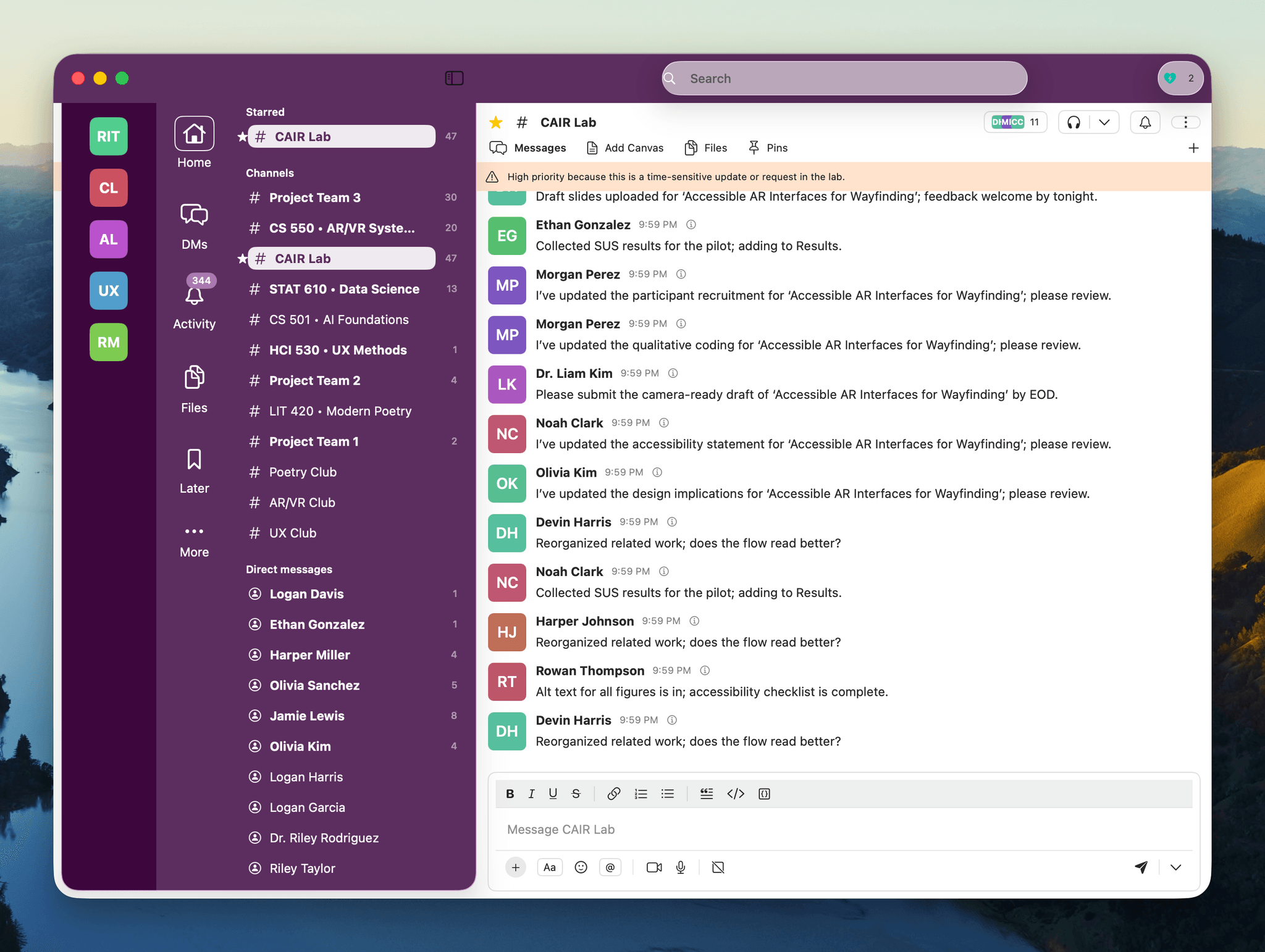
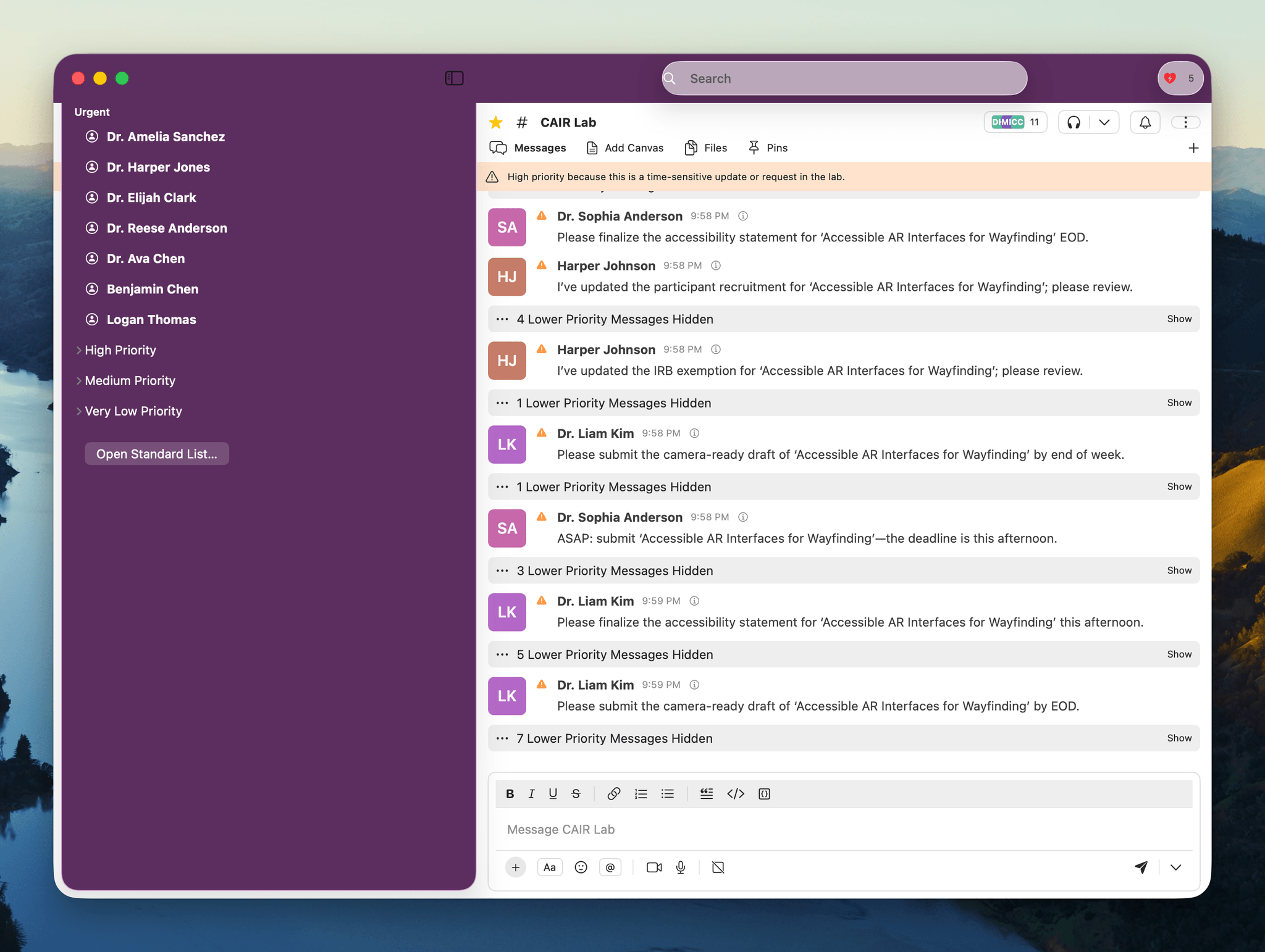
The prototype required a substantial simulation infrastructure: 100 seeded users with randomized relationships and channel memberships, dynamic message generation with variable-delay jitter and burst/lull patterns, and thematically distinct content across work channels, project groups, and social spaces, all feeding through the triage pipeline in real time.
Challenges Worth Noting
Signal processing and human variability were the most interesting technical challenges. Heartrate-to-stress mapping isn’t universal; a resting heart rate of 55 BPM means something very different than a resting rate of 80 BPM. The Karvonen formula approach, age-grouped heart rate zones, and user-configurable baselines were my solution. Not perfect for a real system, but considerably better than one-size-fits-all for a prototype exploring this design space.
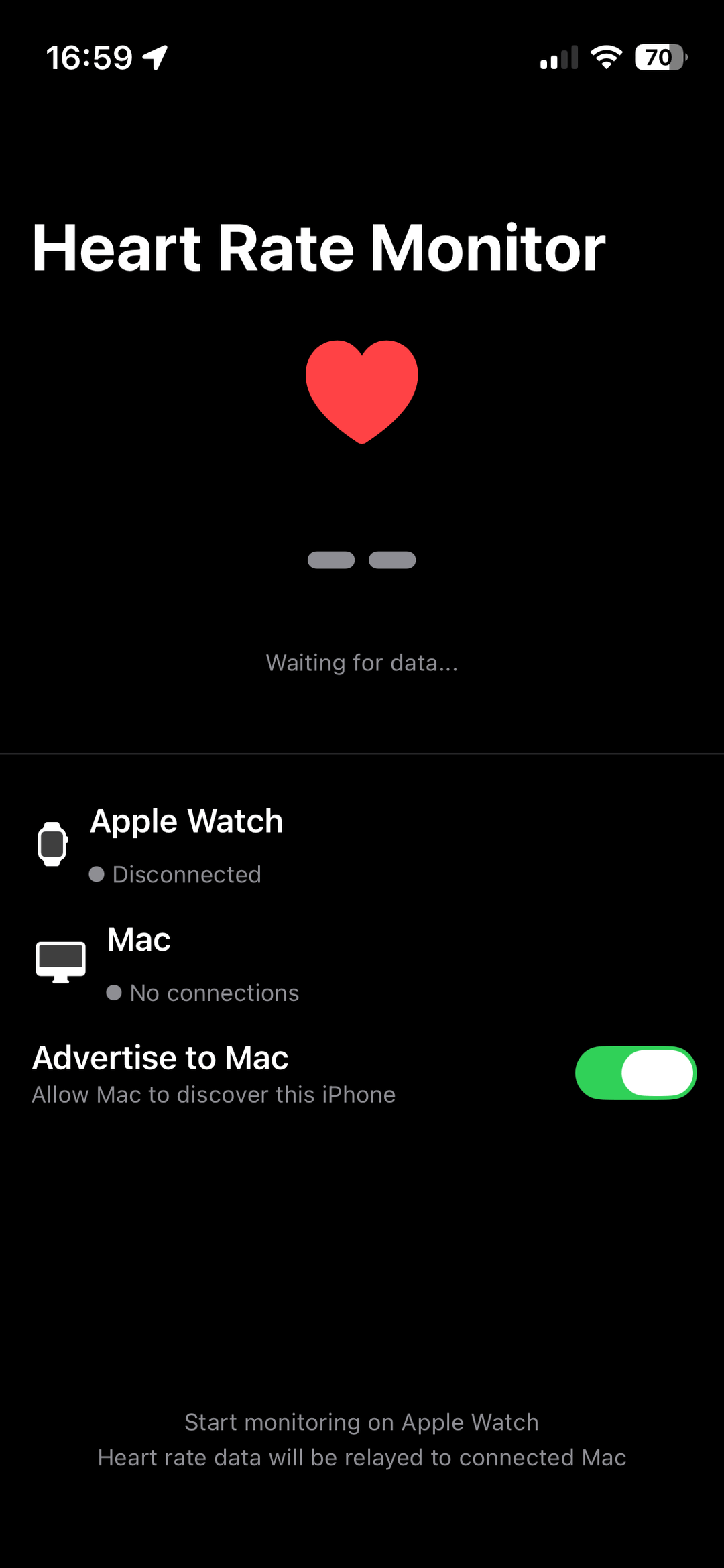
Apple platform sandboxing created constant friction. The Watch can’t talk to the Mac directly, requiring the iPhone proxy app. The DistributedNotificationCenter API blocks almost all data payloads in modern macOS for security, so I worked around this by broadcasting five distinct notification names instead of one notification with a payload. Pragmatic, effective, and a good reminder that prototype engineering often means finding the simplest path through platform constraints.
Reflections
This project was wildly over-ambitious for a single-semester course, and that’s part of its value as a portfolio piece. The ecosystem demonstrates systems thinking at scale: not just one app, but a coordinated architecture where biometric hardware, signal processing, inter-process communication, and multiple adaptive applications all work together.
The two prototypes explore genuinely different approaches to the same underlying question (how should software behave differently when you’re stressed?) and each surfaces interesting design tensions. Progressive simplification is elegant but hides tools you might need. AI-driven triage is powerful but requires trust in the system’s judgment. Both suggest a rich, largely unexplored design space for stress-aware computing.
Graduate coursework, Prototyping Wearable & IoT Devices, RIT · Fall 2025